Editing a Recording Profile
The procedure below describes how to edit a Recording Profile.
| ➢ | To edit a Recording Profile: |
| 1. | Open the Recording Profiles page (Configuration > Routing > Recording Profiles). |
| 2. | Select the Recording Profiles you wish to edit by selecting the corresponding check box. |
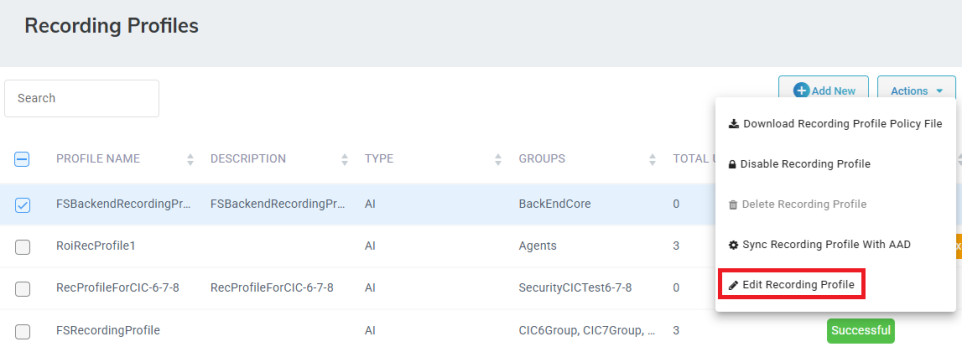
| 3. | From the ‘Actions’ drop-down menu, choose Edit Recording Profile. |
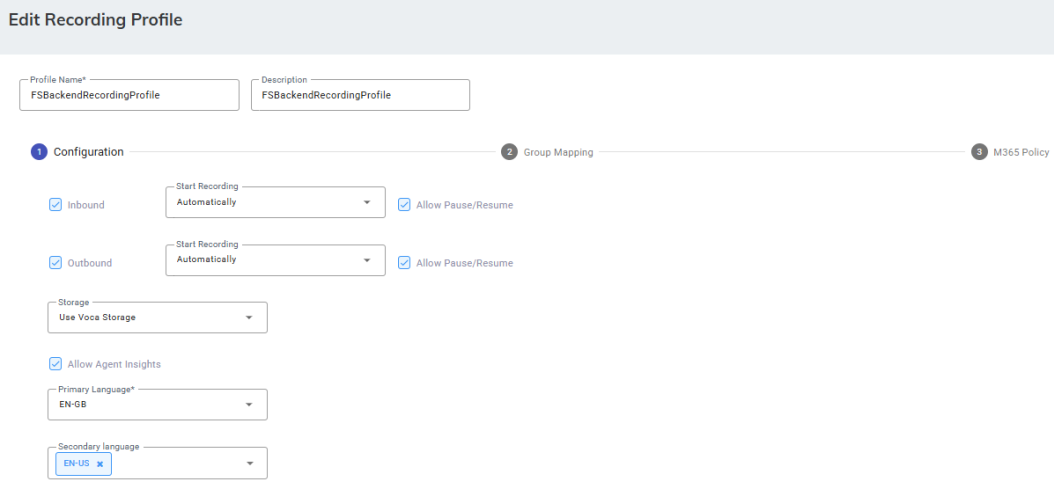
| 4. | Make your necessary changes, and then click Save Changes. |